Best Email Signatures: 12 Examples and Ready-to-Use Templates
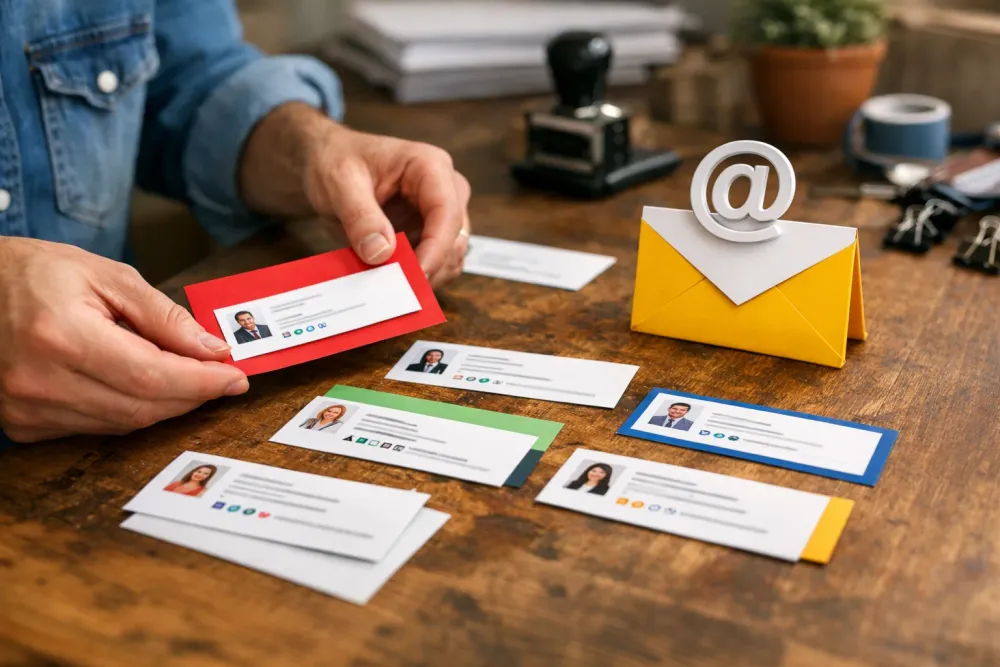
A good email signature does two jobs at once: it identifies you quickly and leaves the reader with the right next step. The best ones are short, clear, and easy to update when your title, phone number, or team messaging changes.
If you want a practical way to reuse the same signature in more than one place, a text expander can help. Typerelay is built for reusable replies, signatures, and snippets, with support for macOS, Windows, and Linux, plus web sync and shared snippets for teams. See Typerelay features if you want to keep signature text in one place, then reuse it everywhere.
What makes a strong email signature?
The best email signatures are readable, consistent, and useful. They should tell someone who you are, how to reach you, and what to do next without turning every message into a mini brochure.
A strong signature usually includes:
- your full name
- job title
- company name
- one primary contact method
- a website or calendar link, if relevant
- a short call to action, only when it helps
What it should avoid:
- long disclaimers
- too many links
- inspirational quotes that distract from the message
- multiple phone numbers unless they are truly needed
- large images that break in plain-text email clients
If your team sends the same wording often, a reusable snippet is easier to maintain than copying and pasting from an old message. Typerelay's automatic email signature guide and email signature automation article both cover that workflow in more depth.

12 best email signatures with examples
Below are signature styles you can adapt for your own role, team, or channel. Each one is written so you can copy, edit, and use it as a starting point.
1. Simple professional signature
Best for: consultants, freelancers, and most business roles
Best,
Jordan Lee
Customer Success Manager
Typerelay
jordan@typerelay.com
typerelay.com
Why it works: it is clean and direct. There is no clutter, and the most important details are easy to scan.
2. Sales signature with a clear next step
Best for: outbound sales, account executives, and partnership teams
Best,
Jordan Lee
Account Executive
Typerelay
jordan@typerelay.com
Book a meeting: typerelay.com/book
Why it works: it gives the recipient one obvious action. If you use this style, keep the link short and current.
3. Support signature with response context
Best for: support teams, success teams, and shared inboxes
Thanks,
Jordan Lee
Support Specialist
Typerelay
support@typerelay.com
Need help? Visit typerelay.com/help
Why it works: it sets expectations and makes the next support step easy to find.
4. Founder signature with personal but focused tone
Best for: founders, independent operators, and small teams
Thanks,
Jordan Lee
Founder, Typerelay
jordan@typerelay.com
typerelay.com
Why it works: it feels personal without being overdesigned. The signature is short enough to fit almost any reply.
5. Team signature with shared wording
Best for: companies that want every sender to use the same approved language
Best,
Jordan Lee
Typerelay Support
support@typerelay.com
typerelay.com/help
Why it works: shared wording keeps the public-facing details consistent. If your team uses the same core text, Typerelay's team snippets workflow can help keep everyone aligned.
6. Minimal signature for fast replies
Best for: internal teams, short replies, and high-volume communication
Jordan
Typerelay
Why it works: sometimes you do not need more. For internal communication, a minimal signature can be enough to identify the sender without adding noise.
7. Marketing signature with one campaign link
Best for: marketers, content teams, and newsletter operations
Best,
Jordan Lee
Content Marketing Lead
Typerelay
typerelay.com
Latest: typerelay.com/blog
Why it works: it keeps the signature focused while still surfacing one useful destination. Use only one featured link, not three or four.
8. Remote team signature with timezone-friendly details
Best for: distributed teams, client services, and international companies
Best,
Jordan Lee
Customer Operations
Typerelay
jordan@typerelay.com
UTC-5 | typerelay.com
Why it works: a timezone cue can reduce back-and-forth when scheduling or routing support.
9. Signature with social proof
Best for: advisors, agencies, and sales-led businesses
Best,
Jordan Lee
Growth Advisor
Typerelay
jordan@typerelay.com
See case studies: typerelay.com/case-studies
Why it works: it uses one link to strengthen trust instead of adding a stack of social icons.
10. Signature for job seekers
Best for: candidates, contractors, and people in active hiring cycles
Best,
Jordan Lee
Product Designer
linkedin.com/in/jordanlee
jordan.lee@email.com
Portfolio: jordanlee.design
Why it works: it makes it easy for a recruiter to review your work without hunting for contact details.
11. Signature for legal, finance, or regulated work
Best for: roles where accuracy matters more than style
Best,
Jordan Lee
Operations Manager
Typerelay
jordan@typerelay.com
typerelay.com
Why it works: it keeps the signature restrained. If your organization needs a disclaimer, keep it separate from your everyday personal signature when possible.
12. Signature with a short closing line
Best for: client-facing roles that want a warmer tone
Thanks for your time,
Jordan Lee
Customer Success Manager
Typerelay
jordan@typerelay.com
typerelay.com
Why it works: the closing line adds tone without becoming a slogan. Keep it short so the signature still feels practical.
Email signature templates you can copy
If you want a fast starting point, use one of these templates and replace the placeholders.
Basic template
Best,
[Your Name]
[Job Title]
[Company]
[Email Address]
[Website]
Sales template
Best,
[Your Name]
[Job Title]
[Company]
[Email Address]
Book time: [Calendar Link]
Support template
Thanks,
[Your Name]
[Support Team]
[Company]
[Support Email]
Help center: [Help Link]
Founder template
Thanks,
[Your Name]
Founder, [Company]
[Email Address]
[Website]
Team template
Best,
[Your Name]
[Team Name]
[Company]
[Shared Email or Help Link]

How to choose the right signature style
The best signature is the one that fits your role and the kind of email you send.
Use a more minimal version if:
- you send short replies all day
- your audience already knows you
- you want less visual clutter
- you work in a team that values speed
Use a fuller version if:
- you often email new contacts
- recipients need contact options
- you send sales or support messages
- your team wants a standard public-facing format
If multiple people need the same approved signature wording, a shared snippet is easier to manage than asking everyone to keep their own version in sync. Typerelay supports private and shared snippets, so teams can keep personal details separate from shared wording.
A simple workflow for keeping signatures updated
One of the most annoying parts of email signatures is maintenance. Phone numbers change. Job titles change. Linked calendar links get updated. If the signature lives in ten different places, the cleanup takes longer than it should.
A better workflow is:
- write the approved signature once
- store it as a reusable snippet
- keep personal fields separate from shared text
- update the source version when something changes
- reuse the same text across email and other tools
That approach is especially useful if you work across multiple desktops. Typerelay supports macOS, Windows, and Linux, so the same signature workflow can follow you across different systems. If that is relevant to your setup, see Text Expander for Linux and Text Expander for Windows.
Quick editing tips for better signatures
Before you use a signature template, check these details:
- Keep the line count short.
- Use one primary email address.
- Use one main link.
- Match the tone to the message.
- Remove anything that does not help the reader act.
If you need a signature for both personal and team use, keep one version for yourself and one shared version for the group. That way, the whole team can update approved wording without rewriting every message from scratch.
Frequently Asked Questions
What is the best email signature format?
The best email signature format is the one that gives readers the essentials fast: name, role, company, and one reliable contact path. For many people, that means four to six lines of plain text. If your signature gets longer than that, it is worth asking whether every line is doing useful work.
Should I include social media links in my email signature?
Only if those links help the recipient take the next step. A portfolio, booking link, or company page is often more useful than several social icons. If you include social links, keep them limited and relevant to the conversation.
How do teams keep email signatures consistent?
Teams keep email signatures consistent by storing approved wording in one shared place and reusing it across senders. Typerelay supports shared snippets, which makes it easier to update one signature instead of editing many separate copies.
Can I use Typerelay for email signatures?
Yes. Typerelay is built for reusable replies, signatures, and snippets, so it is a natural fit for email signature workflows. It also supports private and shared snippets, plus web sync, which helps if multiple people need the same signature text.
What should I avoid in an email signature?
Avoid long quotes, too many links, oversized images, and extra text that does not help the recipient. The best signatures are easy to read and quick to maintain. If something will not change the reader's next action, it probably does not need to be there.
Ready-to-use next step
If you are updating your own signature, start with one of the templates above and strip it down until it only includes the details people actually need. If you are doing this for a team, store the approved version as a shared snippet so it stays consistent across every sender.
For a simple way to reuse signatures, replies, and other repeated text, see Typerelay pricing and Typerelay features.


