Welcome to Typerelay: The Open-Source, Cross-Platform Text Expander for Modern Workflows
Today, we are thrilled to officially announce the launch of Typerelay.
Repetitive typing is an invisible drag on daily productivity. Whether you are fielding customer inquiries, deploying code snippets to production terminals, writing recurring documentation, or prompting AI models, a significant portion of our digital workday involves re-typing the exact same phrases, links, and commands over and over.
Text expanders exist to eliminate this friction. Yet, despite being one of the most foundational categories of desktop utilities, the space has largely failed to keep pace with modern developer and team environments.
We built Typerelay from the ground up to fix this. It is a modern, privacy-first, open-source text expander designed to work identically across every desktop operating system, keep you productive on mobile, and scale effortlessly from individual power users to entire organizations.
The Landscape: Why Existing Tools Fall Short
When we set out to build Typerelay, we closely examined existing solutions on the market. While there are legacy tools that have been around for years, they carry structural limitations that create friction in modern environments:
- Fragmented Platform Support: Most existing text expanders treat macOS as the primary citizen while leaving Windows and Linux users with outdated, buggy ports—or no software at all. In environments where developers, designers, and ops engineers move fluidly between platforms, muscle memory should never be broken by an OS switch.
- The Desktop-Only Barrier: Work doesn’t stop when you step away from your desk. Most snippet tools offer little to no mobile parity, forcing you to manually re-type canned responses or search through note-taking apps when answering messages on the go.
- Security & Transparency Concerns: By definition, a system-wide text expander requires deep accessibility and keystroke-monitoring permissions to detect triggers and inject text across applications. Relying on closed-source, proprietary binaries on production machines poses an unnecessary security and compliance risk.
- Complex Team Collaboration: Sharing snippet libraries across a support team, dev team, or sales organization often involves convoluted setups, expensive enterprise contracts, or brittle file-sync workarounds.
Typerelay was built to eliminate these bottlenecks.
Core Capabilities of Typerelay
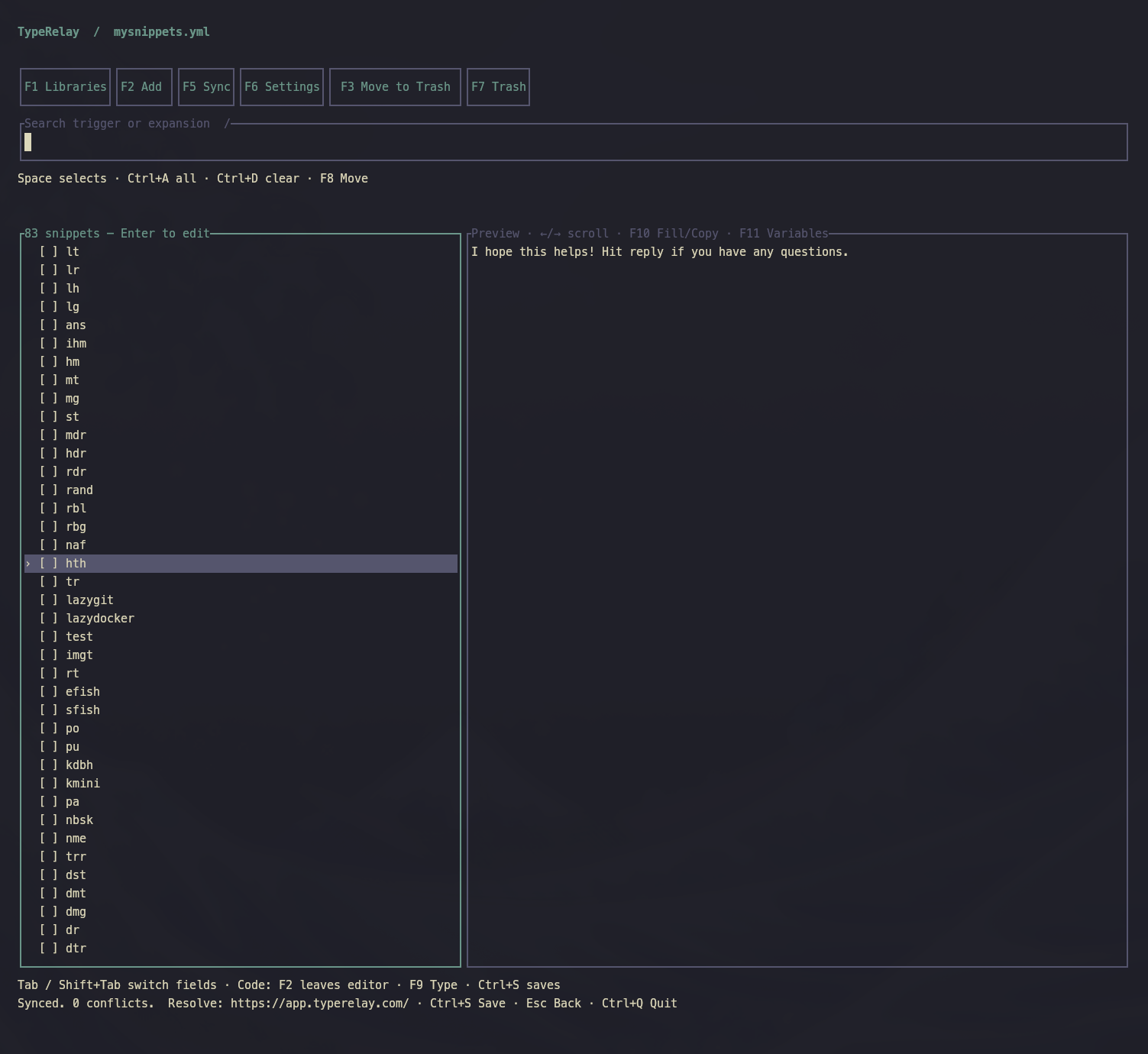
Typerelay combines a modern desktop app with a robust synchronization engine, giving you full control of your snippet library wherever you write.
1. True Cross-Platform Parity (macOS, Windows, Linux)
Typerelay is built to ensure a consistent, reliable experience regardless of your desktop operating system. Keystroke detection, hotkey bindings, UI responsiveness, and snippet expansion work identically whether you are on a Mac, a Windows desktop, or a Linux workstation.
2. Multi-Format Snippet Support
Different workflows require different outputs. Typerelay supports three dedicated snippet formats:
- Plain Text: Ultra-fast snippet expansion for URLs, email templates, greetings, and common shorthand.
- Developer Code Snippets: Designed within a dedicated code editor to maintain strict syntax highlighting, precise indentation, and line breaks for SQL queries, terminal scripts, regex strings, and boilerplate configurations.
- Rich Text & HTML: Full formatting support, including hyperlinks, bold/italic text, lists, and inline images—ideal for customer support specialists and sales outreach.
3. Universal Search Palette
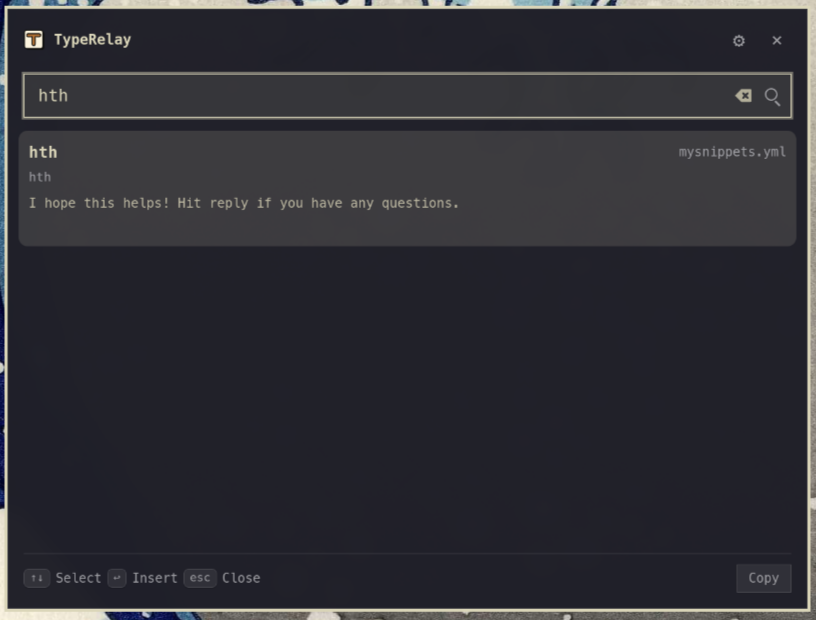
Trigger shortcuts (like :intro or !zoom) are excellent for high-frequency snippets, but nobody can memorize hundreds of abbreviation codes. Typerelay includes a global fuzzy search palette. With a single keyboard shortcut from any application:
- Trigger the search modal.
- Type a word or phrase from the snippet title or body.
- Hit Enter to inject the text directly into your cursor's active field.
4. Native Mobile Sync (iOS & Android Public Beta)
Your snippets should travel with you. With our companion mobile apps - now in public beta for iOS and Android - your personal and team snippet collections are available on your phone, allowing you to fire off accurate, standardized responses from anywhere.
5. Team Sharing & Centralized Collaboration
Typerelay allows you to organize snippets into distinct libraries. Keep your private shortcuts personal, or create shared workspaces for your team. When an email template, policy link, or customer reply is updated on the team library, it updates instantly across all connected team devices.
Open Source by Design (AGPL) & Deployment Options
Trust and flexibility are non-negotiable. Typerelay is released under the GNU Affero General Public License (AGPL).
Because text expanders require access to system inputs, an open-source model ensures total transparency. You can inspect the codebase, audit how inputs and sync tokens are handled, and verify that your privacy is protected.
Choose How You Run It:
- Self-Hosted: Deploy the Typerelay sync server on your own infrastructure or private cloud. You retain 100% control over your data, snippet storage, and internal compliance.
- Typerelay Cloud: Prefer a zero-configuration setup? Use our hosted infrastructure. We offer a Free tier to get started immediately, Pro and Team, managed real-time synchronization, priority support, and advanced organizational controls.
Start Using Typerelay Today
Whether you want to automate repetitive customer service replies, manage a library of complex terminal scripts, or simply stop typing your scheduling link twelve times a day, Typerelay is ready.
- Download the Desktop App: Available now for macOS, Windows, and Linux.
- Join the Mobile Beta: Test the iOS and Android apps directly from your mobile device.
- Explore the Code & Docs: View self-hosting guides and documentation.
Get started for free at typerelay.com and reclaim your time.


